






















Google Keyword Planner is a free tool inside Google Ads. It gives you real search volume data, keyword ideas, and bid estimates straight from Google. Many people use it for SEO and PPC because it is accurate and works for any budget. Expert teams, like those at Digital Wit, often use these insights to build smarter growth plans. In 2026, it helps find long-tail keywords for voice search and AI results. You can spot high-intent terms that bring real traffic and sales.
Key Takeaways
- Google Keyword Planner (GKP) remains the most reliable source for direct Google search data for both SEO and PPC.
- Access GKP for free by creating a Google Ads account, switching to Expert Mode, and integrating it with Search Console for better insights.
- Use the “Start with Keywords” and “Start with a Website” strategies to discover high-value seed keywords and analyze competitor performance.
- Refine your results with location, language, negative keyword filters, and date range comparisons to target relevant, high-intent audiences.
- Understand key metrics like search volume, competition, and top-of-page bids to prioritize keywords that maximize ROI.
- Focus on long-tail, conversational, and intent-driven keywords, and organize them into topic clusters for content strategy and SEO authority.
- Export your data, utilize forecasts, and avoid common mistakes like over-relying on high-volume terms or confusing PPC difficulty with organic ranking potential.
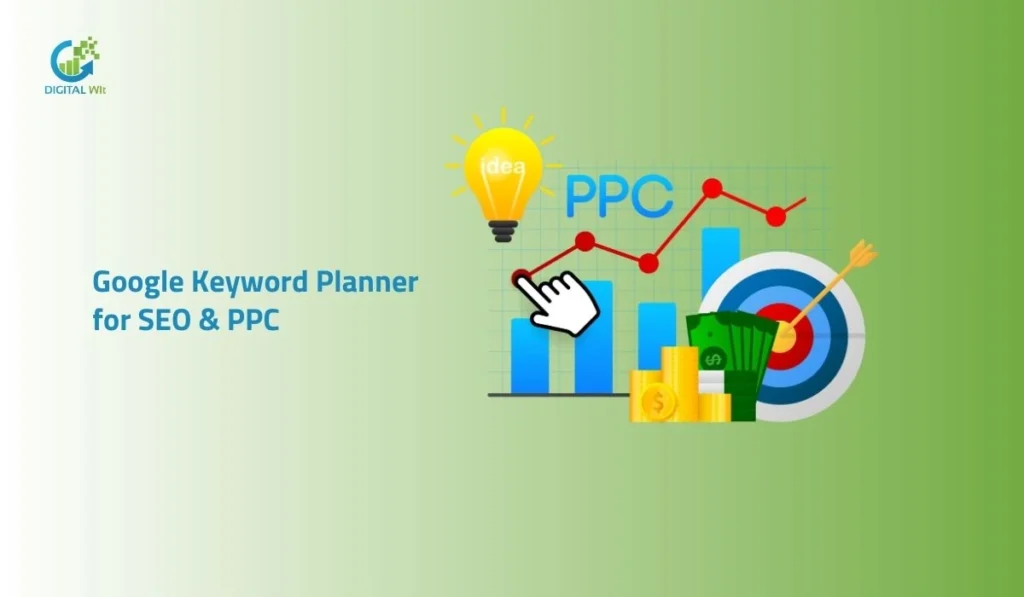
Google Keyword Planner for SEO & PPC
Google Keyword Planner is a free tool from Google that helps you find good keywords for SEO and PPC. It shows real search volume, competition level, and bid costs directly from Google data. You can use it to pick high-intent keywords that bring more traffic and sales without spending extra money. To master your strategy, you should always stay updated with the latest SEO Tools & Keyword Research tips to stay ahead of your competitors.
What is Google Keyword Planner?
Google Keyword Planner is a free tool inside the Google Ads platform. Google built this tool to help people create ad campaigns. However, it is also great for SEO keyword research. It gives you direct data about what people are searching for on Google. You can see how many people search for a word every month. This data comes straight from Google’s own database. It is much more reliable than many other expensive tools.
Core Benefits of Using This Tool
The biggest benefit is that the data is very accurate. You do not have to guess what your customers want. It works well for businesses of all sizes. Even if you have a zero budget, you can use it. This tool helps you build a strong content strategy. You can find keyword ideas that your competitors might miss. It is a very efficient way to plan your digital marketing, which is a method we also follow as a leading SEO agency in Bangladesh to help our clients grow.
Why Use GKP in 2026?
Search intent is changing very fast in 2026. Google now looks at the meaning behind a search. This tool helps you validate intent signals through bid data. High bid prices usually mean a keyword brings real customers. You can find high-value organic opportunities by looking at these metrics. It helps you stay ahead of the competition. Using this tool is essential for long-term SEO success.
Accessing and Setting Up GKP for Free
Creating a Google Ads Account
You need a Google Ads account to use the Keyword Planner. Many people think they have to pay to start. I can tell you that you can sign up for free. You just need a standard Gmail account to begin. Visit the Google Ads website and click on the start button. You do not need to enter your credit card info right now. Just follow the basic steps to create your profile.
Switching to Expert Mode
Google will try to force you into a Smart Campaign. You must avoid this because it hides the Keyword Planner. Look for a small link that says Switch to Expert Mode at the bottom. This is the expert way to set up your account. Once you click this, you will see the full menu. Now you can access the Tools and Settings section. This is where the real keyword research strategy happens.
Integration Hacks for Better Data
You should link your Google Search Console with Google Ads. This integration allows you to see more details. You can cross-reference your current organic rankings with new words. It helps you see where you are already winning. You can also see which pages need more help. This is a pro tip that many beginners forget to do. It makes your data much more powerful for your website.
Common Access Issues and Solutions
Sometimes you might see a wall asking for billing info. Do not worry because you can skip this. If you get stuck, try to clear your browser cache. Some users in Bangladesh face issues with the account setup. Make sure you select the correct time zone and currency. You do not need an active ad campaign to see keyword suggestions. Just stay in the expert mode to keep the tool free.
Seed Phrases & Competitor Gaps
The Start with Keywords Approach
This is the most common way to find new ideas. You can enter up to ten seed keywords into the tool. These are basic words related to your business. For example, you can type SEO service or digital marketing. The tool will then generate thousands of related keywords. This is great for brainstorming new content ideas. It shows you what people are typing into the search bar.
The Start with a Website Strategy
This is a very clever way to do competitor analysis. You can enter the URL of a competitor’s website. Google will then show you the keywords that page ranks for. This helps you find content gaps in your own site. You can see which topics are bringing them traffic. It is like having a spy tool for your business. You can use this data to create better pages than them.
Choosing Your Tool Function
The tool has two main sections you can use. Use Discover New Keywords when you want more ideas. Use Get Search Volume and Forecasts when you have a list already. Both functions are very helpful for different goals. If you are starting a new blog, use the first option. If you are planning a budget, use the second option. Knowing when to use each will save you time.
Filtering and Refining Results for Laser-Targeted Relevance
Dynamic Location and Language Settings
You must target the right audience for your business. If your shop is in Dhaka, you should filter for that location. You can choose specific cities or even zip codes. This makes your keyword research much more accurate. You can also choose the language of your target customers. This is very important for local SEO in Bangladesh. It ensures you do not waste time on the wrong traffic.
Strategic Keyword Filtering
You will often get many irrelevant keywords in the list. You can use keyword filters to remove them. For example, you can exclude words like free or cheap. These are called negative keywords in the tool. You can also use the refine keywords feature. This helps you group results by brand or service type. It makes your final keyword list very clean and useful.
Date Range and Historical Data
Google allows you to see search trends over time. You can compare search volume between two different years. This helps you identify seasonal trends for your products. You can see if a keyword is becoming more popular. This data is great for planning your content calendar. You can prepare your articles before the peak season starts. It helps you catch the most traffic at the right time.
Decoding 2026 Metrics: Volume, Competition, and Intent Signals

Interpreting Average Monthly Searches
Google often shows search volume ranges like 1K to 10K. This can be frustrating for many users. I have a hack to see more precise numbers. You can add the keywords to your plan and look at the forecast. The forecast shows expected impressions which are more exact. This helps you prioritize keywords with real potential. You can see which words are worth your effort.
Analyzing Competition for SEO vs PPC
The competition metric in GKP is for paid ads. However, it is also useful for SEO experts. High competition means advertisers are spending money on that word. This usually means the keyword has a high commercial value. You should target these words for your product pages. If a word has low competition, it might be easier to rank. You need to balance both types for a healthy strategy.
Top of Page Bids as Intent Signals
Look at the high range and low range bid prices. These numbers show you what businesses pay for a click. If the bid is high, the search intent is likely transactional. This means people are ready to buy something. You should use these keywords to increase your ROI. It helps you find the most profitable keywords for your business. This is a key part of effective keyword research.
Advanced Keyword Prioritization and Content Strategy
Matching Keywords to User Intent
You must understand why people are searching. Informational intent means they want to learn something. Transactional intent means they want to buy a product. Navigational intent means they are looking for a specific site. You should categorize your keywords into these groups. This helps you create the right content for the right person. It improves your ranking factors and user experience.
Long-Tail and Conversational Keywords
In 2026, many people use voice search to find things. They ask questions instead of typing short words. You should look for long-tail keywords in your list. These are usually four or more words long. They have lower volume but very high conversion rates. These phrases often trigger AI Overviews on Google. Targeting these questions will help you get more traffic.
Topic Clustering for Authority
You should not just target one keyword per page. Instead, you should group related keywords into clusters. Use the grouped view in the tool to see these themes. Create one main pillar page for a big topic. Then create smaller blog posts for related keywords. This tells Google that you are an expert in that area. It is one of the best ways to build topical authority.
Expert Tips for Higher ROI
Always keep an eye on seasonal trends in your industry. Some keywords only work well during specific months. You should also check the competitor bidding costs regularly. This helps you see if a keyword is getting too expensive. If it is, you can look for cheaper alternatives. Always focus on quality keywords over a large quantity. This will give you the best results for your time.
Exporting, Forecasting, and Avoiding Common Pitfalls
Data Management and Exporting
You can save your keyword lists directly in the tool. It is also easy to export them to a CSV file. You can open this file in Excel or Google Sheets. This allows you to do a deeper analysis of the data. You can mix this data with other tools like Ahrefs or Semrush. Having your own spreadsheet makes it easier to track your progress. It is a very organized way to work.
Utilizing Performance Forecasts
The forecast tool predicts how your keywords might perform. It shows you expected clicks and impressions for the future. Google uses its internal AI to make these projections. This helps you plan your budget and content reach. You can see if a keyword list is worth your investment. It is like having a crystal ball for your marketing. This feature is very helpful for long-term planning.
Common Mistakes to Avoid
Many people only look at high search volume numbers. This is a big mistake because volume does not mean sales. You should also not ignore low-volume keywords. These niche terms often have the best customers. Do not confuse PPC difficulty with SEO difficulty. They are two different things in the digital world. Always stay focused on keywords that match your business goals.
Google Keyword Planner FAQs
I know you might still have some specific questions about this tool. This section will answer the most common things people ask about keyword research. I have kept the answers simple so you can apply them to your business right away. You can use these tips to improve your rankings and find better keywords for your website.
1. How do I use Google Keyword Planner effectively for keyword research?
You should start by entering broad seed keywords that describe your main business. I recommend using the location filter to target only the people in your specific country or city. You must look for keywords with high search volume and high commercial intent. Use the “Refine Keywords” feature to remove brands or categories that do not match your service. This helps you build a list that is actually useful for your content strategy.
2. How do keywords and ranking factors work in general?
Keywords help Google understand what your page is about so it can show it to the right people. Using your main keyword in the title and the first paragraph is a very important ranking factor. You should also use related terms throughout your content to show your expertise.
Google also looks at how long people stay on your page after they click. High-quality content that answers the user’s question will always rank better in the long run.
3. How do I do keyword research using Google keyword planner?
First, you need to sign in to your Google Ads account and open the Keyword Planner tool. Choose the “Discover New Keywords” option and enter your product or service name. You can also paste a competitor’s link to see what keywords they are currently using.
Review the list of suggestions and look for words that have a good balance of traffic and bids. Finally, export your data to a spreadsheet so you can organize your content plan easily.
4. What is the Google AdWords Keyword Planner and how can it be used effectively to get good keywords ideas for our business?
This is the old name for the tool, but many people still call it AdWords Keyword Planner. It is a powerful engine that gives you keyword ideas based on real search data from Google. You can use it to find new trends in your industry before your competitors do.
It helps you understand which words are worth bidding on and which ones are good for SEO. This tool ensures that your business is visible to customers at the exact moment they are searching.
5. How can one effectively use the Google Keywords Planner tool to find keywords with low competition and high search volume?
You should use the filter option to set a minimum “Average Monthly Searches” that fits your goals. Then, click on the competition column to sort the results and look for the “Low” competition label. I suggest checking the “Top of Page Bid” to make sure the keyword still has value for your business.
Sometimes a low competition word with high volume is a “content gap” that you can easily win. This is the best way to get fast results without fighting against huge websites.
Conclusion
Google Keyword Planner is a very powerful tool when you know how to use it right. It gives you the best SEO tools & keyword research tips 2026 for free. You can find what people want, see what competitors are doing, and plan your growth. How to bypass the ads and get the best data.
At Digital Wit, we believe that data-driven decisions are the key to staying ahead in a competitive market. Now it is your turn to take these tips and start your research. If you follow this guide, you will build a strong foundation for your online success. Start small, stay consistent, and watch your traffic grow every month.