























Your website feels slow? Just one extra second can make half your visitors leave. Google now checks three simple things called Core Web Vitals: how fast the main content loads (LCP), how quickly the page reacts when someone clicks (INP), and if things jump around on the screen (CLS).
Good scores help you rank higher and keep people happy. Digital Wit will show easy ways to make your site fast and pass all Core Web Vitals tests. Let’s start!
Before diving into speed improvements, make sure your content is properly optimized using essential On-Page SEO Techniques, as technical and on-page optimizations work best together.
Key Takeaways
Site speed is the time a web page takes to load and respond on a user’s browser. Core Web Vitals are Google’s key performance metrics that measure loading, interactivity, and visual stability to ensure a smooth user experience.
Core Web Vitals are Google’s key metrics that check real-user experience by measuring how fast the main content loads, how quickly the page responds, and how stable the layout stays during loading.
Use compressed images, deliver them through a CDN, and delay non-essential JavaScript to speed up loading and improve LCP.
Limit layout shifts by adding fixed sizes to images and media, and apply lazy loading with correct placeholders to enhance CLS and page stability.
Start with the improvements that make the biggest impact, such as speeding up LCP and removing render-blocking elements.
Then track real-user data often, because field data gives a clearer picture than lab tests alone.
Blogs, e-commerce sites, and content-heavy websites need fast loading and stable pages. If you want a full audit and implementation, explore Digital Wit’s SEO services to learn how we deliver results.
Importance of Site Speed and Core Web Vitals
Site speed and Core Web Vitals are very important for any website. A fast website improves user experience and keeps visitors from leaving. Pages that load slowly increase bounce rates and reduce conversions.
Core Web Vitals like Largest Contentful Paint (LCP), Interaction to Next Paint (INP), First Input Delay (FID), and Cumulative Layout Shift (CLS) help measure how well a site performs. Optimizing these metrics also improves SEO rankings and makes your
Impact on user experience, bounce rates, conversions, SEO rankings
Site speed plays a major role in how users interact with your website. If pages take too long to load, visitors often leave immediately, increasing bounce rates. Slow loading can reduce conversions because users may abandon forms or purchases.
Search engines also consider page performance when ranking websites. Faster websites are more likely to appear higher in search results. Optimizing Core Web Vitals ensures that your site is responsive, stable, and interactive.
Improving metrics like LCP, FID, and CLS can enhance both user satisfaction and SEO performance.
Modern user expectations for near-instant loading
Users today expect websites to load almost instantly. They spend less time waiting and quickly move to other sites if loading is slow. Mobile users, especially, expect smooth and fast experiences.
Meeting these expectations helps keep visitors engaged and encourages repeat visits. Core Web Vitals provide measurable ways to track loading, interactivity, and visual stability. A website that performs well makes users feel confident and satisfied.
Prioritizing speed and performance is essential for retaining traffic and building trust. Consistently fast experiences improve overall website credibility and user loyalty.
Overview of Core Web Vitals (CWV)
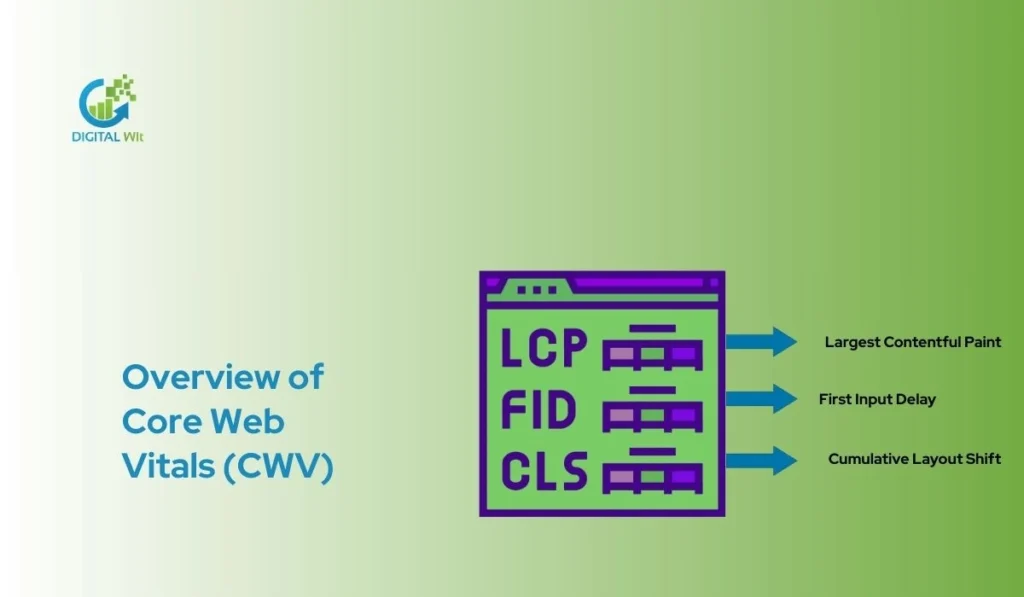
Core Web Vitals are key metrics that show how your website performs for real users. These metrics help measure speed, responsiveness, and visual stability. Optimizing them improves user experience and SEO.
Largest Contentful Paint (LCP)
LCP measures the time it takes for the largest visible element on a page to load. This could be an image, video, or large text block. A fast LCP ensures users see main content quickly. Slow LCP may increase bounce rates and lower engagement.
Interaction to Next Paint (INP) / First Input Delay (FID)
INP or FID shows how fast a website responds to user interactions like clicks or taps. Faster response keeps users engaged and reduces frustration. Long delays can make the site feel slow and unresponsive.
Cumulative Layout Shift (CLS)
CLS measures unexpected layout changes while a page loads. Elements moving around can frustrate users. Proper sizing for images, ads, and fonts reduces CLS. A stable page feels professional and trustworthy.
Who Should Care / When Optimization Matters
Blogs, e-commerce sites, and content-heavy websites need fast loading and stable pages. Mobile-heavy audiences are most sensitive to slow sites. Websites with global traffic must optimize for different networks. Improving site speed and Core Web Vitals boosts engagement, conversions, and SEO rankings.
Related Metrics of Core Web Vitals
Core Web Vitals are metrics that measure website speed, interactivity, and visual stability. Largest Concertful Paint (LCP) shows loading time. Interaction to Next Paint (INP) or First Input Delay (FID) measures responsiveness. Cumulative Layout Shift (CLS) tracks layout changes. Other metrics like TTFB and FCP help check performance.
Other Related Metrics
Time to First Byte (TTFB) shows how fast the server responds. First Contentful Paint (FCP) measures when the first content appears. Total Blocking Time (TBT) and resource load times affect speed. Monitoring these metrics gives a complete view of page performance. Optimizing them ensures better site speed and user experience.
Lab Data vs Real-User (Field) Data
Lab data simulates page loading in controlled conditions. Real-user data reflects actual user experiences on devices and networks. Both are important to understand performance fully. Lab data helps identify technical issues. Field data shows real-world impact and user satisfaction.
Recommended Thresholds for Core Web Vitals Metrics
LCP thresholds
Largest Contentful Paint (LCP) measures how long the main content of a page takes to load.
A good LCP is 2.5 seconds or less.
If it takes longer, users may feel the page is slow.
Optimizing images, using a fast server, and caching can improve LCP.
INP thresholds
Interaction to Next Paint (INP) shows how quickly a page responds to user actions.
A good INP is below 200 milliseconds.
Breaking long tasks and reducing heavy scripts helps improve this metric.
Fast INP gives users smooth and responsive interactions.
CLS thresholds
Cumulative Layout Shift (CLS) measures unexpected layout movements.
A good CLS score is 0.1 or less.
Setting image sizes and reserving space for dynamic content reduces CLS.
Stable pages make users feel confident while browsing.
FID thresholds
First Input Delay (FID) measures how long the page waits to respond to the first user action.
A good FID is less than 100 milliseconds.
Minimizing long tasks and deferring non-critical scripts improves FID.
Lower FID ensures faster interactivity and better user experience.
Audit & Benchmark Current Site Performance
Measuring your website’s performance is the first step toward improving site speed and Core Web Vitals. A structured approach like a Technical SEO Audit Checklist helps you identify issues faster and set clear optimization goals.
Using Diagnostic Tools
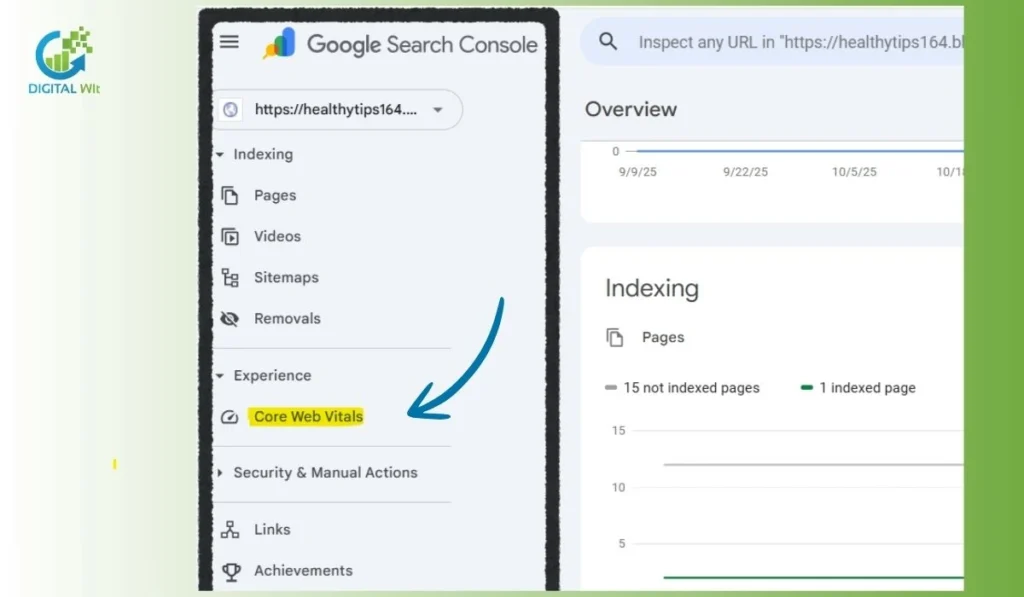
You can use tools like PageSpeed Insights, Lighthouse, GTmetrix, Chrome DevTools, WebPageTest, Semrush Site Audit, and Google Search Console. These tools show page speed, LCP, INP/FID, CLS, and other performance metrics. Real-user monitoring helps you see how your audience experiences the website.
Interpreting Metrics & Identifying Bottlenecks
Look at images, JavaScript, CSS, and render-blocking resources. Large files or slow scripts can delay page loads. Layout shifts and unstable content can hurt visual stability. Identifying these bottlenecks helps you plan improvements.
Establishing Baseline & Setting Goals
Record your current LCP, INP/FID, CLS, TTFB, first load, and repeat load times. Compare them to recommended thresholds. Then set a performance budget and clear goals for each metric. Continuous monitoring ensures steady improvement.
Front-End Optimizations
Improving front-end performance is key to faster site speed and better Core Web Vitals. Proper optimization helps pages load quickly and enhances user experience across all devices.
Image & Media Optimization
Optimizing images and media is important to improve site speed and Core Web Vitals. Large images can slow down page load and increase LCP. Use modern formats like WebP or AVIF to reduce file size without losing quality.
Lazy-load images and videos that are offscreen to save initial load time. Reserve width, height, or aspect ratio for all images and embeds. This prevents layout shifts and helps improve CLS.
Regularly compress media files and remove unnecessary images. You can also use responsive images to serve the right size on each device.
CSS & JavaScript Optimization
Minify and compress CSS, JS, and HTML files to reduce loading time. Remove unused CSS and JavaScript to keep pages clean.
Inline critical CSS for above-the-fold content. Defer non-critical scripts and use code-splitting for large JavaScript frameworks. This reduces main thread blocking and improves INP and FID.
Regular audits help identify scripts or styles slowing down the website.
Font & Web Font Optimization
Deliver fonts efficiently to avoid delays in text rendering. Use font-display: swap to show fallback text until fonts load.
Preload important fonts for faster display. Limit font variants and weights to reduce file sizes. Proper font handling improves page stability and visual experience.
Resource Loading & Preloading / Prefetching
Preload critical resources like CSS, fonts, and key images. This allows the browser to fetch important files early.
Use resource hints such as preload, prefetch, and preconnect to optimize network requests. It reduces load delay and improves overall page performance.
Back-End & Infrastructure Optimizations
Optimizing your website’s back-end is important for site speed and Core Web Vitals. A fast server improves page load and user experience. Proper hosting, caching, and modern protocols can reduce delays. These steps also help your website perform well on mobile and global networks.
Fast Hosting and Upgrading Hosting
Choosing fast hosting is important for improving site speed and core web vitals. It reduces server response time and ensures pages load quickly. Upgrading hosting based on traffic and location helps users access the website smoothly.
This step is crucial for e-commerce sites and blogs with global audiences.
Using CDN for Edge Delivery
A Content Delivery Network (CDN) helps deliver resources from servers closer to users. It reduces resource load duration and improves loading performance. Using a CDN can lower latency and ensure consistent page experience across regions.
It also supports better scores for largest contentful paint and other metrics.
Caching Strategies
Implement browser caching, server-side caching, and object caching. Caching stores frequently accessed files, reducing load times. It helps improve page performance and server efficiency. Proper caching also enhances responsiveness and stability for users.
Optimizing Server Response and Modern Protocols
Optimize server response time (TTFB) to make the site faster. Using HTTP/2 or HTTP/3 improves connection efficiency. These protocols allow multiple requests at once, reducing delays and improving overall load speed. This benefits user experience and core web vitals scores.
How to Improve Core Web Vitals Performance
Improving Core Web Vitals performance starts with optimizing key metrics. For LCP, make resources discoverable, compress images, and use CDN with caching. For INP, break long tasks and reduce unnecessary JavaScript. For CLS, set image sizes and reserve space for dynamic content. Optimize JS and compress CSS/JS for faster site speed.
Improving LCP
Largest Contentful Paint (LCP) shows how fast the main content loads. Ensure the main resource is easy to discover from HTML. Optimize images and media by compressing files and using modern formats like WebP. Use a CDN to deliver content faster and implement caching to reduce server response time. Preload critical resources to help pages display instantly for users.
Improving INP
Interaction to Next Paint (INP) measures responsiveness. Break up long tasks to avoid delays. Remove unnecessary JavaScript that slows down pages. Optimize the main thread so the browser can respond quickly to user interactions. This improves overall interactivity and gives a better user experience.
Improving CLS
Cumulative Layout Shift (CLS) shows visual stability. Set explicit width and height for images and embeds. Reserve space for ads, iframes, or dynamic content. Avoid CSS animations that can shift layouts unexpectedly.
Improving FID
First Input Delay (FID) tracks interactivity. Optimize JavaScript execution and defer non-critical scripts. Load scripts asynchronously and reduce long tasks. This makes pages more responsive and faster for users.
Other Speed & UX Enhancements
Minify CSS and JS files to reduce page size. Optimize fonts and third-party scripts. Reduce DOM size for simpler page structure. Conduct regular performance audits to maintain fast load times and smooth experience.
Mobile & Global Audience Considerations
It is important to make your website mobile-friendly and responsive. Optimize pages for slower networks, reduce page weight, use caching and CDN, and test performance on different devices and locations to ensure fast loading everywhere.
Responsive Design & Mobile Optimization
Responsive design ensures your website adapts to all screen sizes. It helps users access content easily on phones and tablets. Optimizing for mobile improves user experience and engagement. This also supports better core web vitals scores for mobile users.
Optimize for Slower Networks
You should reduce total page weight by compressing images and files. Use caching and a CDN to deliver resources faster. Prioritize critical content so users see important parts quickly. Avoid unnecessary scripts that slow loading on slow connections.
Test on Multiple Devices, Speeds, and Geographies
Check your site on different devices like mobiles, tablets, and desktops. Test on slow and fast network speeds to see performance gaps. Use tools to monitor global accessibility for users in various locations. This ensures good page performance and site speed for all visitors.
Tips for Prioritizing Core Web Vitals Fixes
Focus on High-Impact Metrics First
Start by identifying the Core Web Vitals metrics that affect user experience the most. LCP, INP, and CLS usually have the biggest impact. Improving these metrics first can help your site feel faster and more responsive.
Analyze your performance reports to find which metric needs urgent attention. Focus on changes that give visible improvements to users quickly.
Start with Easy-to-Implement Changes
Simple fixes like compressing images, enabling caching, and minifying CSS/JS can improve performance fast. You do not need complex coding at first. These changes can also reduce server response time. Easy fixes provide early wins and motivate further optimization.
Monitor Performance Continuously
Regularly check site speed and Core Web Vitals scores using tools like PageSpeed Insights, Lighthouse, or Chrome User Experience Report. Tracking changes helps you see if your improvements work. Continuous monitoring prevents issues from accumulating over time.
Avoid Over-Focusing on a Single Metric
Do not only fix one metric like LCP and ignore others. Balanced improvement across LCP, INP, and CLS ensures better overall page experience. Focusing on all metrics helps improve SEO, usability, and conversions.
Common Mistakes to Avoid
Ignoring Mobile Performance
Many websites focus only on desktop speed and forget mobile users. Mobile devices often have slower networks. Ignoring mobile can hurt page experience and increase bounce rates. Optimizing for mobile ensures better LCP, INP, and CLS scores.
Overlooking Real-User Data
Relying only on lab tools gives a partial view. Real-user data shows actual experiences of visitors. Ignoring it can hide slow pages or layout shifts. Always combine lab and field data for accurate insights.
Neglecting Cumulative Impact of Multiple Changes
Small changes may seem harmless individually. Together, they can affect site speed and stability. Multiple scripts, images, or CSS files can increase LCP or CLS. Track overall performance after every update.
Focusing Only on Lab Tools Without Field Validation
Lab tools like Lighthouse are useful but simulated. They cannot replace real-user experience. Without field validation, issues like slow server response or long tasks may be missed. Check CWV with real users regularly.
Overusing Third-Party Scripts or Bloated Themes
Extra scripts or heavy themes slow down page loads. They increase main thread blocking and resource load duration. Limit unnecessary plugins, optimize scripts, and use lightweight themes for better site performance.
Additional Techniques
Server-Side Rendering (SSR) / Static Site Generation
Server-side rendering helps pages load faster by sending pre-rendered HTML to the browser.
Static site generation creates pages in advance so users get content instantly.
Both reduce load time and improve LCP and INP.
They are useful for blogs, e-commerce sites, and websites with high traffic.
Critical-Render-Path Optimization
Critical-render-path optimization focuses on loading above-the-fold content first.
It reduces delays caused by CSS, JavaScript, and images.
This improves Largest Contentful Paint and overall user experience.
You can prioritize important resources to make the page interactive quickly.
Performance-Aware Frameworks / Lightweight Front-End Stacks
Using lightweight frameworks reduces JavaScript execution time.
Frameworks like React, Vue, or Next.js can be optimized for faster loading.
Smaller frameworks lower main thread blocking and long tasks.
This helps improve INP and FID metrics for better interactivity.
Advanced Caching Strategies (Edge, CDN, HTTP Headers)
Edge caching stores content closer to users for faster delivery.
CDNs distribute resources globally to reduce server response time.
HTTP headers help browsers cache files efficiently.
These techniques reduce load duration and improve overall site speed.
Real-World Examples / Case Studies
Swappie increasing mobile revenue
Swappie improved its site speed and Core Web Vitals to provide a smoother mobile experience. Faster LCP and reduced CLS helped users interact quickly. This improvement increased mobile revenue and lowered bounce rates. Users could navigate pages without delays, which boosted engagement and sales consistently.
Vodafone boosting sales with faster load times
Vodafone optimized server response time and implemented caching strategies. Better INP and FID scores allowed users to complete actions faster. Faster page load improved user satisfaction and conversions. Regular audits helped maintain performance and achieve reliable page experience for global users.
Tools to Track and Optimize Core Web Vitals
Google PageSpeed Insights
Google PageSpeed Insights helps you check your website speed and Core Web Vitals scores.
It shows both mobile and desktop performance.
The tool gives suggestions to fix slow loading elements.
You can use it regularly to monitor improvements.
Lighthouse
Lighthouse audits your site for performance, accessibility, and SEO.
It provides lab data and improvement recommendations.
You can run it in Chrome DevTools easily.
It helps prioritize tasks for better Core Web Vitals.
GTmetrix
GTmetrix measures page load speed and performance.
It shows detailed reports on images, scripts, and CSS issues.
You can compare results over time to track improvements.
It helps identify the slowest parts of your website.
Semrush
Semrush Site Audit tracks technical issues affecting site speed.
It reports on Core Web Vitals and page performance.
You can see actionable recommendations for optimization.
It helps keep your website fast and responsive.
Chrome User Experience Report
Chrome UX Report gives real-user performance data.
It shows how users experience your site globally.
You can use this data to make practical improvements.
It helps validate lab results with real-world performance.
FAQs
How to improve Core Web Vitals?
You can improve Core Web Vitals by optimizing images, reducing JavaScript, and using caching to improve page speed and responsiveness.
How can I optimize a web page to meet Core Web Vitals requirements?
Ensure fast loading, stable layouts, and smooth interactions. Preload key resources and use modern image formats.
What else can I do to improve my Core Web Vitals?
Reduce long tasks, optimize fonts, and remove unused CSS or scripts.
Is Core Web Vitals important?
Yes, they affect user experience, SEO rankings, and site performance.
How to Optimize Websites for Core Web Vitals?
Focus on LCP, FID, CLS, and mobile responsiveness.
How much do Core Web Vitals matter for SEO?
They are ranking factors that influence search engine visibility.
Core Web Vitals and Why Website Speed Matters
Faster sites keep users engaged and reduce bounce rates.
How does website speed affect your SEO rankings?
Slow websites may rank lower and get less traffic.
How does page speed affect SEO rankings for e-commerce websites, specifically?
Faster pages improve conversions and keep buyers on your site longer.
Conclusion
Improving site speed and Core Web Vitals is essential for a smooth user experience. A fast website reduces bounce rates and keeps visitors engaged. Regularly monitoring and optimizing your site helps maintain top performance. For a step-by-step expansion of these tactics, visit On-page technical SEO.
Better Core Web Vitals also improve SEO, making your pages rank higher in search results. Faster loading and stable layouts enhance user satisfaction and increase conversions. By focusing on continuous improvements, you ensure your website stays efficient, responsive, and competitive in the digital space.
For more expert guidance and actionable SEO insights, you can always rely on the Digital Wit team to help you stay ahead.