





















On-page SEO is the work done directly on a page to make its topic, purpose, and value clear to search engines and visitors. It includes helpful content, title tags, headings, URLs, images, internal links, structured data, and page experience. No single on-page change guarantees a ranking; the goal is to satisfy search intent and remove avoidable friction.
A practical 2026 workflow starts with the query and audience, then improves the page’s answer, structure, media, internal links, and technical delivery. Use on-page and technical SEO guidance for the foundation, and review Core Web Vitals and site speed when performance is part of the problem.
For Bangladesh-based businesses, SEO services in Bangladesh can help with audits, content mapping, internal linking, and ongoing measurement—but the checklist below is useful for any site.
Key takeaways
What is On-Page SEO: On-page SEO means optimizing the words, images, titles, links, and speed of a page so Google and users understand it easily. Unlike off-page or technical SEO, strong on-page work in 2026 helps Google, AI crawlers, and visitors trust your content faster.
Why On-Page SEO Important : On-page SEO remains important because it is the part of the page you can directly improve. Clear content, strong intent match, useful structure, and fast delivery can support engagement and search visibility, but rankings depend on many signals outside the page as well.
Core On-Page SEO Techniques: On-page SEO makes your pages easier for search engines to understand and users to navigate. Clear content, smart keyword placement, and a simple structure help your pages rank better over time.
Advanced & Technical On-Page SEO Techniques: Improve your chances of ranking by targeting featured snippets, adding schema, speeding up your site, and making pages mobile-friendly.
Focus on fast loading, structured data, clean UX, and HTTPS security to boost visibility and trust. Small technical fixes like better markup, clear headings, and proper indexing create long-term ranking gains.
On-Page SEO Checklist & Templates: The On-Page SEO Checklist makes optimizing your pages simple and consistent.
Use it during every update to maintain strong rankings and a smooth user experience.Follow these quick checks to keep your content clear, fast, and search-friendly in 2026.
Content Maintenance & Updates: Regularly updating your content keeps your site accurate, relevant, and performing well in search results. Audit old pages, fix gaps, and refresh examples to stay ahead of competitors and maintain user trust.
Common On-Page SEO Mistakes to Avoid: On-page SEO mistakes can quietly damage your rankings and traffic.Avoid issues like thin content, weak meta tags, messy URLs, and outdated pages to keep both users and search engines satisfied.
What is On-Page SEO?
On-page SEO means making changes directly on your web page so Google loves it and people stay longer.You control the words, pictures, titles, links, and speed of that single page.
It is different from off-page SEO (which is about backlinks) and technical SEO (which is about server and coding stuff). In 2026, good on-page SEO helps Google, AI crawlers, and real visitors understand and trust your content fast.
Why On-Page SEO Is Still Most Important Things in 2026
On-page SEO is the only part of search rankings you control 100%. You cannot force other sites to link to you, but you can always make your own page better. When your page loads fast, reads easy, and answers exactly what the visitor wants, Search engines can better interpret a page when its content and structure match the query. Better usability may also support engagement, but metrics such as bounce rate or time on page are not simple ranking guarantees.
It Directly Helps Your Visitors and Google
A clean title tag and helpful content match user intent perfectly. When visitors find what they need fast, they stay longer and click more pages. Google sees longer dwell time and better engagement metrics. These are strong search engine signals today. At the same time, clear headings and fast loading improve Core Web Vitals scores.
It Builds E-E-A-T and Trust Fast
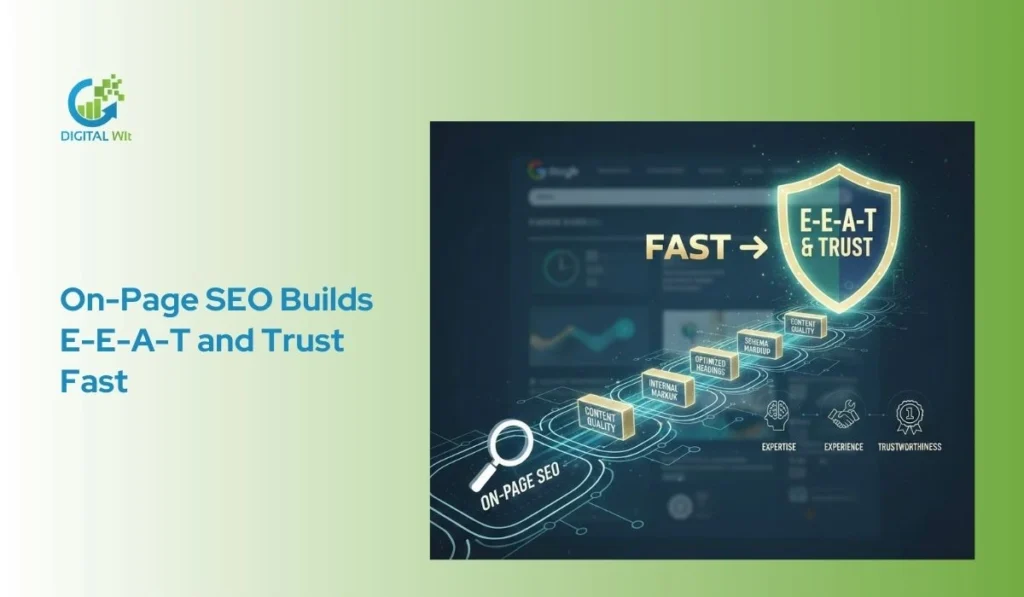
Google wants to send people to pages that show real experience and trust. Simple things like adding an author bio, linking to trusted sources, and keeping content fresh tell Google you know your topic. This builds topical authority and E-E-A-T without waiting for backlinks.
Who Should Do It and When
Everyone who has a website should do on-page SEO. Beginners, bloggers, shop owners, and big agencies all need it. Do it every time you publish something new. Do it again when you update old pages. Do it after every Google update. Make it a normal habit, not a one-time job.
localize with SEO experts for Bangladeshi businesses.
Core On-Page SEO Techniques
On-page SEO helps search engines understand your page better and gives users a smooth experience. Focus on clear content, proper keyword use, and simple site structure. These steps make your pages easy to read and help them rank higher over time.
1. Include your target keyword where it fits best
Your target keyword should appear naturally throughout your content. Focus on placing it in important areas like the title, first paragraph, headings, and URL. Avoid stuffing keywords and make sure it fits smoothly so both readers and search engines can understand your content.
Select primary and secondary keywords
Good keyword research starts with finding the right words people use when they search. You pick one main keyword that fits your page topic. Then you add a few related secondary keywords that support it. This helps your page show up for more searches. Tools like Google Search Console or free keyword planners make this easy for beginners.
Map keywords to relevant pages
Once you have your keywords, decide which page on your site should use them. Each page needs its own set to avoid confusion. This way, search engines know exactly what each page is about. It also helps visitors find what they need fast.
Analyze SERPs to identify dominant search intent
Look at the top results in Google for your keyword. See what kind of pages rank high. This shows the main search intent behind the query. You copy that style to match what users want. It builds topical authority over time.
2. Match Search Intent and Satisfy User Intent
Informational, navigational, transactional, commercial intent
Search intent comes in four main types. Information is when people want to learn something. Navigational means they look for a specific site. Transactional is for buying right away. Commercial intent happens when they compare options before purchase.
Create content that fully addresses user needs
Your page must give complete answers to what the searcher wants. If they seek information, explain it clearly. For buying intent, show product details and prices. This keeps visitors happy and on your page longer. This can improve usefulness and clarity, but ranking outcomes still depend on competition, authority, technical access, and other signals.
3. Place Target Keywords Strategically
First 100 words, headings, body text, anchor texts, URLs, alt-text
Put your main keyword in the first part of your content. Use it in headings to guide readers. Add it naturally in the body and links. Include it in image alt text and the page URL too.
Use LSI and semantic keywords naturally, avoid stuffing
LSI keywords are words related to your topic. They help search engines understand your page better. Use them in a normal way throughout the text. Never repeat keywords too much as it looks unnatural and hurts rankings.
Keyword clusters for topical authority
Group similar keywords together on one page. This creates clusters that show you know the topic well. Over time, it builds trust with Google. Your site becomes an authority on that subject.
4. Write Unique, Helpful, and Valuable Content
Provide high-quality, readable, and engaging content
Focus on writing content that feels fresh and useful. Share real tips that solve problems for your readers. Make it fun to read so people stay longer. This boosts dwell time and helps rankings.
Content length, depth, and gap filling
Aim for enough words to cover the topic fully. Go deeper than simple answers by adding examples. Look at top pages and fill any gaps they miss. This makes your content stand out.
Best readability practices: short paragraphs, bullet points, good typography
Keep paragraphs short so eyes do not get tired. Use simple words that anyone can understand. Good spacing and clear fonts help too. Readers love content that is easy to follow.
5. Strengthen E-E-A-T Signals
Showcase experience and expertise
Share stories from your own work to show you know the topic. Talk about what you have done in the past. This proves you have real experience. Google looks for this in 2025 updates.
Include author bios, credentials, and credible references
Add a short bio at the end with your background. List any qualifications you have. Link to trusted sources for facts you use. It builds authority fast.
Integrate testimonials or user-generated content ethically
Add real feedback from happy readers or customers. Ask for reviews and show them naturally. This adds trust without feeling forced. People believe content more this way.
6. Keep Content Fresh
Regular updates and refreshes: Check your pages every few months. Update old information to keep it current. A small change can bring back traffic. Fresh content ranks better in search results.
Timely additions (e.g., include the current year): Add the year 2025 to titles or text when it fits. This shows the info is new. It works well for guides like this one.
Different strategies for evergreen vs trending content: Evergreen topics need small tweaks over time. Trending ones require quick updates. Plan ahead for both types. This keeps all pages strong.
7. Optimize Title Tags
Compelling, click-worthy, keyword-rich titles: Your title tag is what people see first in search. Put the main keyword near the start. Make it exciting so they want to click.
Include power words, emotion, or the current year: Use words like best or easy to grab attention. Add emotion to connect with readers. Include 2025 for a timely feel.
Avoid duplicate titles: Every page needs a unique title. This stops confusion in search results. Check your site to fix any repeats.
8. Write Engaging Meta Descriptions
Unique, relevant, and persuasive: Meta descriptions appear under the title in search. Write one that sums up the page well. Make it different for each page.
Include keywords, benefits, and CTA: Add the keyword so it stands out when searched. Tell what the reader gains. End with a call to action like learn more.
Ideal length: 150-160 characters: Keep it short enough to show fully on mobile. Count characters as you write. This boosts click rates.
9. Use Header Tags and Subheadings to Structure Page
Hierarchical use of H1, H2, H3, : Use one H1 for the main title. Then H2 for big sections. H3 for smaller parts under them.
One H1 per page, organize sections logically: Only one H1 keeps things clear for search engines. Logical order helps readers follow along.
Wrap keywords naturally in headings: Put keywords in headings where they fit. This aids snippet chances in search.
Optimize for featured snippets and AI extraction: Clear headings make it easy for AI to pull answers. Direct questions in headings work great.
10. Set SEO-Friendly URLs
Short, simple, descriptive, and crawler-friendly: Good URLs are easy to read and remember. They tell what the page is about quickly.
Use hyphens, lowercase, and avoid unnecessary stop words: Separate words with hyphens. Keep all letters lowercase. Skip words like the or and.
Handle redirects correctly: When you change a URL, set up a redirect. This sends old visitors to the new page without loss.
11. Add and Optimize Internal Links
Strategically link to relevant pages: Link to other pages on your site that help the reader. Place links where they make sense.
Use descriptive, keyword-rich anchor text: Anchor text is the clickable words. Make it describe the linked page. Include keywords sometimes.
Build proper site structure (depth, sitemaps): Good structure has clear levels. Use sitemaps to help crawlers find everything.
Reduce orphan pages and distribute link authority: Find pages with no links to them. Add links to share authority across the site.
12. Add External Links to Authoritative Sources
Link to credible, trustworthy, high-authority references: Choose sites like Google or known experts. This supports your points with proof.
Enhance content credibility and user trust: External links show you research well. Readers feel more confident in your info.
13. Optimize Images and Visual Assets
Compress and optimize file formats (e.g., WebP): Make images smaller without losing quality. Use WebP for faster loading.
Descriptive filenames, alt text, and captions: Name files with words about the image. Alt text describes it for screen readers.
Lazy loading and geotagging where applicable: Lazy load means images appear as needed. Geotag for local searches if it fits.
Ensure media does not slow page load: Check that images help Core Web Vitals. Fast pages keep visitors happy.
Advanced & Technical On-Page SEO Techniques
14. Optimize for Featured Snippets, Zero-Click Searches, and AI Overviews
Google now shows direct answers at the top of the search results. These are called featured snippets and AI Overviews. Winning them means free traffic even when people don’t click.
To get these spots, give a clear answer right under your heading. Use simple lists, numbered steps, or tables when possible. Search engines and AI love this format because it is easy to read and copy.
For voice search, write like people talk. Use questions as headings like “How do I optimize images for SEO?” and answer in one or two short sentences first. This helps Google Home and Siri pick your content.
Real example: A page that changed a long paragraph into a 45-word direct answer jumped from position 9 to the featured snippet in two weeks.
15. Add Schema Markup / Structured Data

Schema markup is extra code that tells Google exactly what your page is about. It helps you get stars, prices, or FAQ dropdowns in search results.
The easiest schemas most bloggers need are FAQ, HowTo, Article, and Product. You do not need to be a coder to add them.
You can use free tools like Google’s Structured Data Markup Helper, Rank Math plugin, or InLinks. They create the code for you in seconds. Paste it in the head section or use Google Tag Manager.
After adding, test with Google’s Rich Results Test. If it says “valid,” you are done. Many sites see 20-30% higher click rates after adding schema.
16. Improve Page Speed and Core Web Vitals
In below describe how to Improve Page Speed and Core Web Vitals
Google measures three things: Largest Contentful Paint (LCP), Interaction to Next Paint (INP), and Cumulative Layout Shift (CLS). All should be green in PageSpeed Insights.
Simple fixes give the biggest wins: convert images to WebP format, enable lazy loading, and use a fast hosting or CDN like Cloudflare (free plan works great).
Remove unused CSS and minify CSS/JavaScript files. These small steps can cut loading time from 6 seconds to under 2 seconds.
A real blog I know improved LCP from 4.8s to 1.6s and saw 28% more organic traffic in 30 days.
17. Ensure Mobile-Friendly / Responsive Design
Google uses the mobile version of your page to rank you. If the mobile version is bad, your ranking drops even on desktop.
Test your page with Google’s free Mobile-Friendly Test tool. Fix big text, clickable buttons that are too small, and content wider than the screen.
Add this one line in the <head> section: <meta name=”viewport” content=”width=device-width, initial-scale=1″>. Most themes already have it.
Make buttons at least 48 pixels tall so fingers can tap easily. Fast and clean mobile pages keep visitors happy and improve rankings.
18. Improve User Experience (UX) and Readability
Good UX means people stay longer and bounce less. Use short paragraphs (3-4 lines max), add subheadings every 200-300 words, and include images or bullets.
Put the most important message above the fold so visitors see value instantly. Use at least 16px font size and good color contrast.
Add proper alt text to images and use ARIA labels when needed. Screen readers and Google both love accessible pages.
Simple layout changes can cut bounce rate by 20-40% and send strong positive signals to Google.
19. Secure Your Website (HTTPS)
Switching to HTTPS is now mandatory. Google marks HTTP sites as “Not secure” and gives a ranking penalty.
Get a free SSL certificate from Let’s Encrypt or Cloudflare in 5 minutes. Most hosting panels have one-click install.
After install, force HTTPS with 301 redirects and update internal links. Fix mixed-content warnings in Search Console.
Once done, you get a small ranking boost plus visitor trust increases immediately.
20. Other Technical Elements
Use clean HTML code and proper heading order. Add canonical
tags to prevent duplicate content issues.
Submit XML sitemap in Google Search Console and keep robots.txt simple. Monitor site uptime with free tools like UptimeRobot.
Give buttons and links clear names instead of “click here”. These small details help crawlers and users understand your page better.
Do these once and enjoy better crawling, indexing, and rankings for years.
On-Page SEO Checklist & Templates
This small checklist is your best friend in 2026. Save it, print it, or keep it open every time you create or update a page. Follow it step by step and your pages will rank better and feel nicer to readers.
2026 On-Page SEO Checklist (25 Quick Checks)
Content & Keywords
- I matched the page to clear search intent
- Primary keyword is in the first 100 words
- I used LSI keywords and related terms naturally
- Content is helpful, unique, and longer than most top-10 results
Title & Meta
- Title tag is 50–60 characters and starts with the main keyword
- Title sounds exciting (uses numbers, power words, or 2026)
- Meta description is under 160 characters and has a small call-to-action
- Every page has a unique title and meta description
Structure & Readability
- Only one H1 that contains the main keyword
- Every section has a clear H2 or H3
- Paragraphs are short (max 3–4 lines)
- I used bullet points, tables, or images to make reading easy
Links & URL
- URL is short, uses hyphens, and contains the keyword
- I added 3–8 internal links with good anchor text
- I linked to 1–3 trusted external sites
Images & Speed
- All images have simple file names and helpful alt text
- Images are compressed and in WebP format
- Page speed score is green on PageSpeed Insights
Advanced Wins
- Schema markup is added (FAQ, HowTo, or Article)
- Core Web Vitals are all in the green zone
- Page looks perfect on mobile phones
Ready-to-Use Templates
Title Tag Template
[Main Keyword] + [Benefit/Power Word] + [Year]
Example: On-Page SEO Checklist 2025: Rank Higher in 7 Days
Meta Description Template
Learn simple [main keyword] tricks that bring free traffic in 2025. Step-by-step guide + free checklist inside!
Content Structure Template
H1 → Short intro with keyword → H2 Problem → H2 Solution → H2 Checklist → FAQ → Conclusion
Common Pitfalls to Avoid
- Putting the keyword too many times (keyword stuffing)
- Writing very short or copied content (thin content)
- Forgetting mobile users or slow images
- Using the same title or meta on many pages
- Never updating old posts
Content Maintenance & Updates
Maintaining and updating your content is important to keep your website relevant and performing well in search engines. Regular checks help identify issues and improve user experience.
Periodic Audits: Content Gaps, Outdated Info, Broken Links
Conduct audits to find missing topics or outdated information. Check for broken links that may frustrate users. Updating old content ensures it stays accurate and helpful. This also helps search engines see your site as active and trustworthy.
Refresh Evergreen and Trending Content
Evergreen content should be updated to include new examples or data. Trending content may need timely additions or adjustments. Refreshing pages keeps your audience engaged and encourages more traffic. Small updates can have a big impact on rankings.
Audit Competitor Content for Gaps and Opportunities
Look at top-ranking competitor pages to see what they cover. Identify topics or keywords they use that your site is missing. Filling these gaps can give your content a competitive edge. Use this insight to improve your own pages naturally.
Common On-Page SEO Mistakes to Avoid
On-page SEO mistakes can harm your rankings and reduce traffic. Many website owners make errors without realizing it. Avoiding these mistakes helps both users and search engines. Below are the most common issues and how to prevent them.
Duplicate or Thin Content
Duplicate content means copying text from other pages or sites. Thin content has very little information. Both can make search engines ignore your pages. Always create original content that provides value and answers user questions fully.
Keyword Stuffing or Over-Optimization
Using your target keyword too many times can hurt readability and rankings. Avoid placing keywords in every sentence, heading, or alt text. Focus on natural placement that makes sense to readers. Remember, search engines reward useful content, not repeated words.
Missing or Weak Meta Tags
Meta titles and descriptions tell search engines and users what your page is about. Missing or poorly written tags reduce click-through rates. Write unique and relevant titles and descriptions for every page. Keep them clear, concise, and appealing to users.
Poor Site Structure or Messy URLs
Complex URLs or a confusing page structure make navigation hard. Users and crawlers may struggle to find important content. Use short, descriptive URLs and organize pages logically. A good structure improves indexing and user experience.
Unoptimized Images and Media
Large or missing images can slow your site. Without alt text, search engines cannot understand your visuals. Compress images and add descriptive alt text. Ensure media does not affect page speed or accessibility.
Ignoring Mobile-Friendliness or Accessibility
Many visitors use mobile devices. Pages that are not responsive or accessible lose traffic. Use mobile-friendly designs and proper contrast, alt text, and ARIA labels. Test your site on different devices regularly.
Weak Internal Linking or Orphan Pages
Pages not linked internally may not get ranked well. Create meaningful links to related pages. This improves site navigation, authority, and user engagement. Check for orphan pages and connect them properly.
Neglecting Content Updates
Old or outdated content loses value over time. Regularly update pages to add new information or fix errors. Audit competitor content to find gaps you can fill. Fresh content keeps users and search engines interested.
FAQ
What is an on-page SEO checker?
It is a tool that analyzes your webpage for SEO issues like keywords, meta tags, and page speed. It helps improve rankings and user experience.
Why is on-page SEO important?
It ensures your content is clear, relevant, and easy to read for both users and search engines, boosting visibility and traffic.
What are the types of on-page SEO?
They include content optimization, keyword placement, title tags, meta descriptions, images, internal links, and technical elements like schema.
What are the best SEO practices or hacks you know?
Use proper keywords, clear headings, optimized images, fast loading pages, and regularly update content to match user intent.
How can I practice SEO on my own site?
Start by optimizing titles, meta descriptions, headings, URLs, and internal links. Monitor results and adjust content based on performance.
How would you optimize on-page SEO to get cited by LLMs?
Use clear structure, semantic keywords, headings, and concise answers so AI and search engines understand and reference your content.
What are the most effective on-page SEO strategies to implement this year?
Focus on content depth, keyword clusters, internal linking, schema markup, mobile-friendly pages, and page speed improvements.
What are the relevant techniques of on-page SEO?
Optimize titles, meta tags, headings, URLs, images, internal links, content quality, and technical elements like schema and Core Web Vitals.
What is the importance of page techniques in SEO?
They help search engines understand your content, improve rankings, attract users, and enhance overall website credibility.
What steps are involved in on-page SEO techniques?
Keyword research, content creation, meta tag optimization, URL setup, internal linking, image optimization, and technical adjustments.
Should the same techniques be used daily after on-page optimization?
No, monitor results and adjust strategies as needed. Regular updates and audits keep content fresh and relevant.
What are the best on-page SEO techniques for 2026?
Use keyword clusters, optimize for search intent, improve page speed, implement schema, and create high-quality, user-friendly content.
Conclusion
We covered all essential on-page SEO techniques you can use to improve your website. Remember to balance SEO with user experience, making your content clear and helpful for readers first. Keep monitoring your pages, updating content, and fixing issues regularly to stay ahead. On-page SEO will continue to evolve, so stay with Digital Wit so that you stay informed. Start with a self-audit today and apply these techniques step by step to boost your site’s visibility and performance.